
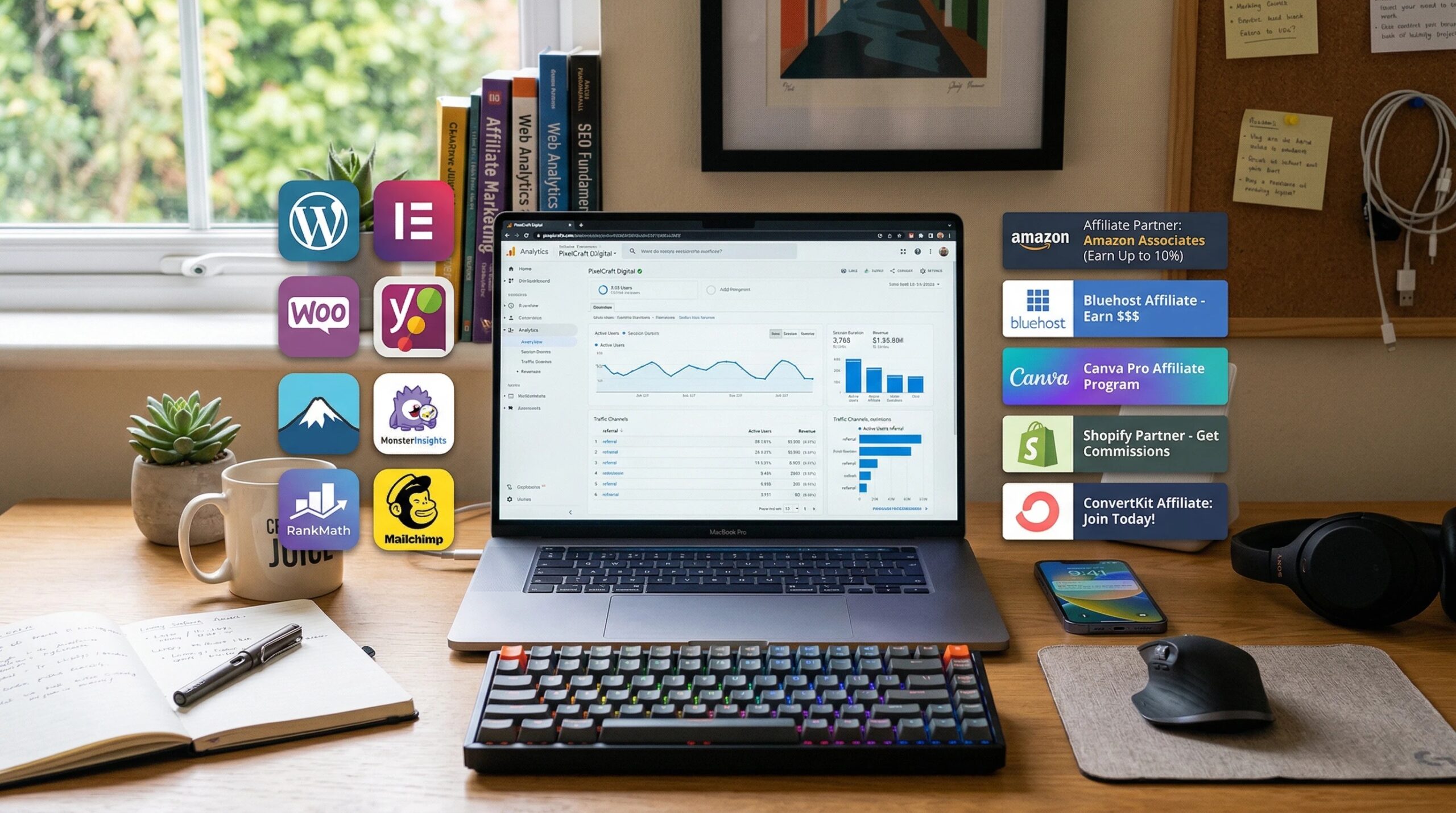
Affiliate ads can be a real game-changer for bloggers aiming to grow their income streams. If you’ve ever felt like your site traffic deserves a bit more reward, turning to affiliate plugins can make the whole process a lot smoother.
Here, it’s not just about putting banners everywhere—smart plugin tools help turn regular content into steady revenue without wrecking the reader experience. I’m breaking down the top plugin types and some standout choices for bloggers looking to level up their affiliate earnings, with plenty of tips on getting started even if you’re new.
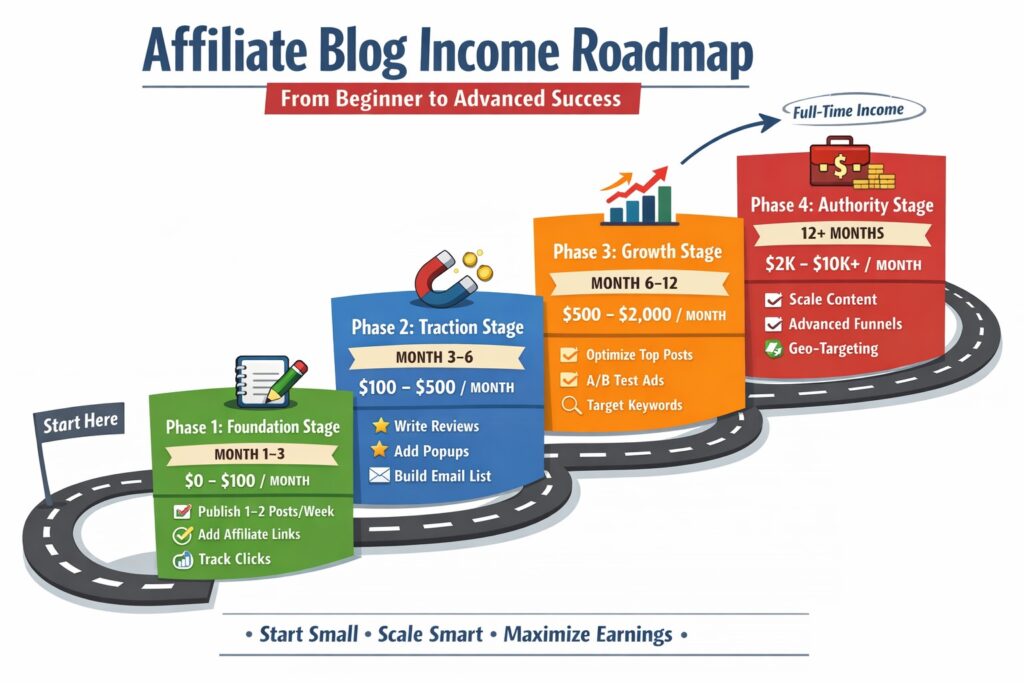
Start with a Strategy First
Jumping into affiliate marketing with plugins should start with a clear strategy. But, before picking any tool, think about what you want your blog to achieve. Are you focused on clicks, actual conversions, or building passive income over time? Being intentional here saves time down the road.
For example, a personal blog that weaves in product recommendations benefits from plugins designed for in-content displays, whereas a dedicated review site might need richer product-comparison features. Just don’t expect one tool to fix everything magically; matching plugin types to your unique content style helps set things up for real success. You might even sketch out your customer adventure or use Google Analytics to see where visitors typically drop off, then select tools to target improvement in those areas.
Fundamentally:
- Define your main income goals (Are you chasing more clicks, higher conversions, or aiming for steady passive income?)
- Match plugin type to your content style (blog, news, product reviews, or niche authority sites all have different needs)
- Think about your readers’ experience first (ads should add value, not irritation)
Ad Management Plugins (Core Foundation)
Ad management plugins are the backbone of most affiliate bloggers’ operations. These tools, like Ad Inserter and Advanced Ads, let you automatically place affiliate ads in various locations without needing to code. If you want to set an ad to show before your post starts, put something in the sidebar, or nudge a reader with a call-to-action mid-article, these plugins are super handy.
Most ad management plugins work with nearly any ad network, so you’re free to try out different partners and optimize as you grow.
A good plugin will let you:
- Automatically insert ads into posts, pages, or widgets
- Control ad placement; before/after content, midparagraph, footer, or custom locations
- Blocklist ads from showing on certain posts or by category
- Support rotating and scheduling ads for better engagement
Popular options worth checking out: Ad Inserter (great for most blog setups), Advanced Ads (more advanced targeting and testing), and WPQuads (an easy pick for beginners).
Link Cloaking & Tracking Plugins
Affiliate links can sometimes look long, weird, or a bit suspicious to readers. Link cloaking plugins like Pretty Links or ThirstyAffiliates not only make your links look cleaner and more on-brand, but they also help track clicks so you know what’s working.
Pretty Links lets you turn messy affiliate links into something like “yourblog.com/go/product,” so they blend in with your site. ThirstyAffiliates adds handy tools to insert, manage, and organize affiliate links right inside your editor.
These plugins help:
- Shorten and brand affiliate links so they look trustworthy
- Track how many people click your affiliate offers
- Group, organize, and even auto-insert links across your content
Link cloaking also makes it easier to swap out broken or outdated affiliate links. Instead of updating hundreds of blog posts, update one destination in your plugin dashboard, and you’re set.
Banner Ad Display Plugins
Banners are a quick way to draw attention to affiliate deals, special promos, or featured products. Banner ad plugins add real muscle here, letting you create, upload, and manage attractive ads without fiddling with HTML or CSS. You can easily schedule banners for sales events or rotate multiple creatives for campaigns.
Plugins like AdRotate or WP Bannerize let you:
- Add image banners with custom links
- Rotate different banners for AB testing
- Track impressions and clicks per banner
- Plan banner shows by date or even by device
Clean reporting means you’re not guessing which of your visuals drives the best performance.
Native Ad Integration Plugins
Native ads blend naturally with your blog’s content. Instead of looking like a classic ad, they flow with your posts; think of small product recommendations, “As seen in” suggestions, or sponsored offers inside your main content. These plugins help reduce banner blindness and can significantly increase engagement if you use them right.
Recommended tools here: Ad Inserter (which can double as a native ad tool) or AdPushup for more advanced publishers. Some ad networks also offer native ad widgets that plug directly into your blog.
- Insert affiliate offers that match post topics
- Customize style so ads look like part of the content rather than popups
- Boost clickthroughs with relevant, context-sensitive ads
Popup & Opt-in Ad Plugins
Popups and optins often work best for email capture, lead magnets, or urgent affiliate promotions. A plugin like OptinMonster lets you set up exit-intent popups (they trigger as people start to leave), special in-content offers, and smart targeted campaigns.
Not everyone loves popups, but when set carefully, like showing only for new visitors or after a set time, they can gently introduce affiliate offers or exclusive discount codes. You can build stylish opt-in bars, timed ads, or notification widgets promoting deals.
Features include:
- Set advanced triggers (onscroll, exit intent, time delay, etc.)
- Run AB tests for different popup designs
- Integrate with email marketing for listbuilding plus affiliate promos
Just use popups sparingly so your blog doesn’t end up annoying regular readers.
Product Showcase Plugins
If your blog covers product reviews, comparison guides, or gift lists, product showcase plugins are really useful. These plugins help display affiliate items in neat grids, stylish tables, or snazzy comparison boxes—making it easy for readers to scan features and prices and make quick decisions.
Popular picks like Lasso or TablePress are awesome for showing off Amazon deals, tech gadgets, or software subscriptions. It’s much easier than building tables by hand, and you can update multiple products from one dashboard rather than editing every post.
- Showcase items with pictures, ratings, and CTA buttons
- Add affiliate links that track clicks
- Compare features and update product details in bulk
Amazon Affiliate Integration Plugins
Amazon’s affiliate program is a gateway for many new bloggers, but manually updating links and product info can quickly become a headache. Plugins in this category, like AAWP or Amazon Auto Links, allow you to pull live prices, images, and product features directly into your posts or sidebars with just a shortcode or block.
- Add product boxes, bestseller lists, and updated prices automatically
- Stay compliant with Amazon’s terms of service (super important for not getting kicked out of the program)
- Boost conversion rates by keeping all info fresh
AAWP, in particular, is one of my favorites for how easy it makes Amazon product displays look sharp and clickworthy without any code.
Geotargeting Ad Plugins
Geotargeting plugins let you show different affiliate offers based on your readers’ location. This is huge if you’re promoting products or deals for international audiences, since a US-only offer might go to waste for European visitors.
Tools like GeoTargeting WP or built-in features in Advanced Ads can:
- Deliver country, region, or city-specific affiliate ads
- Automatically swap out links so everyone sees a relevant offer
- Optimize for global affiliate programs (like different Amazon or eBay locations)
Giving your visitors offers that match their region usually means more clicks and more commissions. This one’s especially great for tech, travel, or software blogs with readers all over the globe.
Ad Rotation & Split Testing Plugins
It’s tough to know which affiliate banners or links will perform best unless you test them against each other. Ad rotation and split testing plugins let you set up several creative versions and track which ones actually drive more clicks and sales.
- Automatically rotate banners, links, or content blocks
- Split test (AB test) different ad images, CTAs, or placements
- Track which variation has the highest CTR or conversion
Go with plugins like AdRotate, Advanced Ads (with the Pro add-on), or even Nelio AB Testing for more detailed options. Data-driven decisions here can make a real difference. Sometimes switching out a weak banner for a winner can double your revenue.
Sticky & Floating Ad Plugins
Sticky or floating ads keep your affiliate offers visible without being intrusive. A sticky sidebar or footer promotion follows readers as they scroll, while floating action bars or notifications can stay top of mind.
Plugins like Q2W3 Fixed Widget or the sticky/floating settings in Ad Inserter are easy to set up. These work well for:
- Countdown deal timers
- Special coupon codes
- Call to action banners for your main affiliate partners
This approach keeps promotions accessible, especially on mobile, where traditional sidebar ads disappear fast.
Content Locking Plugins
Content locking plugins put some of your content behind a simple action, like signing up for your list, clicking to reveal a coupon, or sharing on social media. These are best used sparingly, but can really boost affiliate engagement when used for high-value guides, checklists, or exclusive deals.
Top options include OnePress Social Locker and OptIn Panda. These plugins can:
- Require email signup or social share for premium content access
- Promote affiliate offers as a “reward” after unlocking content
- Increase list growth in tandem with affiliate monetization
Here, don’t overuse locking; keep essential info free so you don’t tank your SEO or lose trust. Save this tactic for your highest value assets or bonuses.
Speed Optimization Plugins (Critical Support Role)
Affiliate ads can slow down your site, especially if you install too many scripts, banners, and widgets. Keeping your blog fast is super important since slow pages kill both rankings and conversions.
Speed optimization plugins like WP Rocket or W3 Total Cache help by:
- Compressing files and scripts to load faster
- Adding page caching, which helps manage ad-heavy pages
- Deferring JavaScript so ads don’t block your main content
A fast-loading blog gets more love from search engines, and readers won’t bail before seeing your best affiliate offers.
Analytics & Conversion Tracking Plugins
Knowing which posts, banners, or links actually deliver income takes the guesswork out of affiliate marketing. Analytics plugins like MonsterInsights let you see exactly which outbound clicks happen, where users go, and how they interact with your site.
- MonsterInsights (easy Google Analytics integration for WordPress)
- WP Affiliate Manager (track affiliate sales right on your dashboard)
- Most link cloakers (Pretty Links, ThirstyAffiliates) also log stats
Armed with this data, you’ll know which content pulls its weight and where you should double down, or cut back, on your affiliate efforts.
Pro Tip Section
Stacking every plugin from this list can overwhelm your blog and annoy your readers. The best blogs usually combine two or three plugin types for maximum results without slowing things down or cluttering the user experience. My favorite combo is:
- Ad management plugin (like Ad Inserter or Advanced Ads)
- Link cloaking plugin (Pretty Links or ThirstyAffiliates)
- Optional: Analytics plugin (MonsterInsights for data-driven tweaks)
This setup keeps things tidy, boosts both click and conversion rates, and helps you focus on what works. Always check your ad placements on desktop and mobile, and test above-the-fold placements versus in-content to see what actually performs with your readers.
Quick Takeaways
- Best All-in-One Ad Control: Ad Inserter, Advanced Ads
- Best for Link Management: Pretty Links, ThirstyAffiliates
- Best for Amazon Sites: AAWP
- Best for Conversions: OptinMonster + Lasso combo
- Best for Analytics: MonsterInsights
Pro tip: Mix and match these tools for a setup that fits your workflow and blog focus. You don’t need every plugin, just the ones that match your main goals and don’t slow your site.
Most successful affiliate blogs use a stack that looks like: ad management, link cloaking, and analytics. Here, this gives you the coverage you need without crowding your site or making it hard to track what’s working.
FAQs: Plugin Questions Bloggers Need Answered
Question: Should I use several affiliate plugins at once?
Answer: A small stack of 23 plugins does the trick for most blogs. Be picky; extra plugins can slow your site, so only add what solves a real problem.
Question: What plugin type brings in the most income?
Answer: There’s no magic answer, but product showcase and ad management plugins usually give the fastest results, especially on high-traffic posts with affiliate intent.
Question: Can I automate updating affiliate links?
Answer: Yes! Use link-cloaking plugins or Amazon-specific tools like AAWP so you never have to swap out outdated links or prices manually.
Question: Are popup ads still effective?
Answer: They work well if used in moderation. Smart triggers (like exit intent or delayed popups) convert better than hitting users as soon as they arrive.
Question: How can I check whether my plugins are slowing down my blog?
Answer: Tools like GTmetrix or Google PageSpeed Insights show how plugins affect your load times. If something tanks your speed, look for lighter alternatives or trim your list.
Key Insight Section
Here, many new affiliate bloggers think that monetizing means jumping into advanced setups right away, but real success starts with getting the basics right.
Focus first on publishing useful content and setting up a simple monetization stack, such as a solid ad management tool and a link cloaker. Add more advanced features only when you’ve got steady traffic that justifies the effort.
The biggest boosts to your income rarely come from chasing extra traffic. Instead, work on improving the conversion rates for the content and readers you already have.
Tweaking placements, testing creatives, and optimizing your user adventure usually brings much bigger gains than doubling down on promotion alone.
Start simple, measure what works, and scale up when it makes sense for you and your audience.